Questo articolo è disponibile solo in inglese.
WordPress AI Chatbot for Sales & Lead Generation
Aug 26, 2026· 6 min di lettura
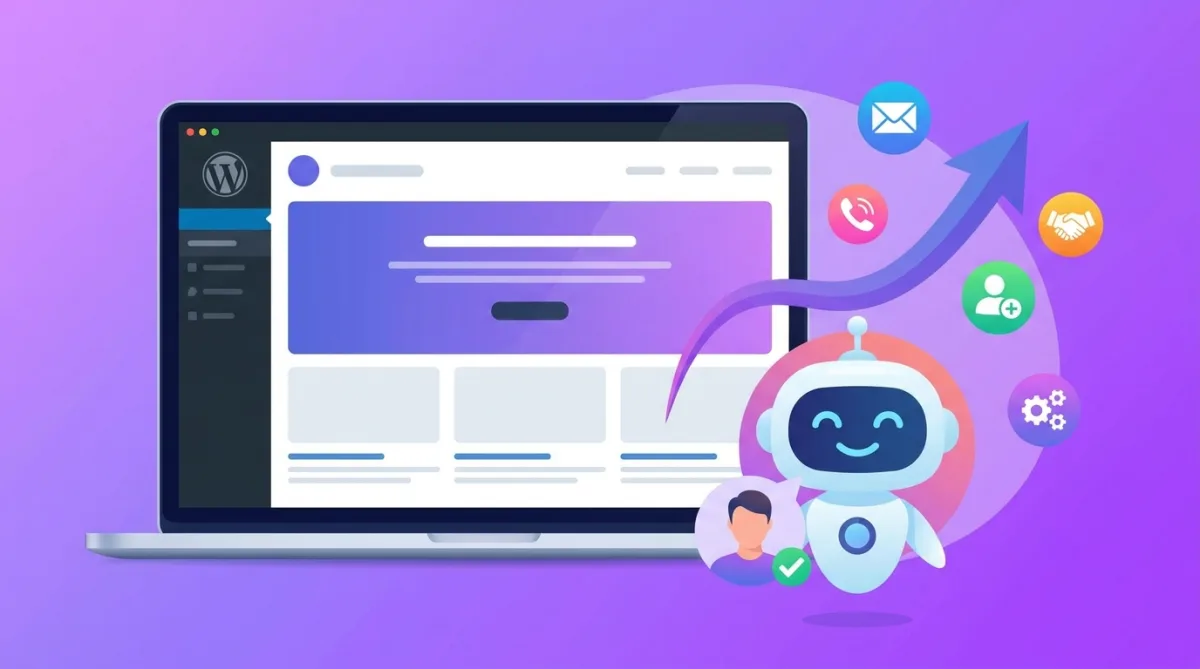
Your WordPress site already gets visitors. The problem is what happens next: most of them read a page or two, don't find the one answer they need, and leave — without ever telling you they were interested. A well-built AI chatbot fixes exactly that. It answers questions in the moment, qualifies the visitor, and captures the lead while intent is still high, 24 hours a day. This guide covers how a WordPress AI chatbot actually drives sales and leads, where it helps most, and how to add one to your site in about 30 seconds.
Why WordPress sites quietly lose sales
WordPress powers a huge share of the web, but the default experience is passive: a visitor either finds what they need on their own or they don't. Three gaps cost you leads every day:
- The after-hours gap. A large portion of website traffic arrives evenings and weekends. If nobody is there to answer "do you do X?" or "how much is Y?", that visitor moves on to a competitor who replies.
- The last-question gap. Most buyers have one specific question standing between them and a contact form. If the answer isn't obvious, they abandon rather than dig.
- The form-friction gap. Static contact forms ask for effort before giving any value. A conversation that answers first, then asks for an email, converts far better.
What an AI chatbot actually does for sales and lead generation
A modern AI chatbot is not a rigid "press 1 for support" menu. Trained on your own website content, it holds a real conversation and does four jobs that map directly to revenue:
- Answers instantly, in context. It knows your services, pricing, hours, and FAQs because it learned them from your pages — so it removes the "last question" that blocks a sale.
- Qualifies the visitor. It can ask what they're looking for, their budget, or their timeline, and route serious buyers differently from browsers.
- Captures the lead naturally. After it has helped, it asks for a name and email to "send the details" or "book a time" — a low-friction ask that people actually complete.
- Hands off when it matters. For high-intent moments, it can offer to book a call, start a WhatsApp thread, or notify your team so a human closes the deal.
Real WordPress use cases that generate leads
The same tool looks different depending on the business behind the WordPress site:
- Local services (clinics, salons, law firms, contractors): answer "are you open?", "do you handle my case?", and book the appointment or capture the enquiry.
- Agencies and consultants: qualify project fit and budget before a discovery call, so your calendar fills with real prospects.
- WooCommerce stores: answer product and shipping questions on the spot, recover would-be cart abandoners, and collect emails for follow-up.
- SaaS and info products: handle pre-sales questions, push visitors to a free trial, and capture leads who aren't ready to buy yet.
How to add an AI chatbot to WordPress (the 30-second version)
You don't need a developer or a plugin sprawl. The fastest path is:
- Point it at your site. Give the tool your WordPress URL. It reads your pages and trains an assistant on your business automatically — no manual FAQ writing.
- See it live before you commit. A good platform lets you watch a working bot on your own content first, so you know it answers correctly.
- Drop in one snippet (or a plugin). Add a single line of code to your theme, or install the WordPress plugin, and the widget is live.
- Set where leads go. Send captured emails to your inbox, CRM, or a Google Sheet, and turn on notifications for hot leads.
With DBestChatBot for WordPress, steps 1 and 2 take about 30 seconds — you paste your URL and immediately see a real AI chatbot trained on your site, free, before you sign up for anything.
Choosing the right WordPress chatbot
Most tools can put a bubble on your site. The differences that affect sales are:
- Does it train on your content automatically? If you have to hand-write every answer, it will go stale. Auto-training on your pages keeps it accurate.
- Can it capture and route leads, not just chat? Lead capture, qualification, and handoff are what turn conversations into revenue.
- What does it cost as you grow? Watch for per-seat fees and per-resolution charges that balloon with usage. A flat plan is predictable.
- Which AI model powers it? Access to strong models (GPT, Claude, Gemini) means better, more natural answers than a single locked-in model.
If you want to compare approaches, see how a flat-priced, multi-model tool stacks up against a per-seat platform in our DBestChatBot vs Intercom comparison.
Frequently asked questions
Will an AI chatbot really increase leads on my WordPress site?
Yes — because it closes the gaps that lose leads today: it answers the last question that blocks a sale, it's available after hours, and it captures the visitor's email inside a helpful conversation instead of behind a cold form. The result is more qualified enquiries from the same traffic.
Do I need coding skills to add one?
No. You either install a WordPress plugin or paste a single line of code into your theme. Training happens automatically from your existing pages, so there's nothing technical to configure.
How is this different from a live chat widget?
Live chat needs a human online to answer. An AI chatbot answers instantly, 24/7, without staffing — and only escalates to a person for high-value conversations. You get the coverage of live chat without paying for round-the-clock agents.
What does a WordPress AI chatbot cost?
It varies widely. Some platforms charge per agent seat and per AI resolution, which adds up fast. Others, like DBestChatBot, use one flat plan regardless of team size or volume, so your cost stays predictable as you scale.
Turn WordPress traffic into a pipeline
You've already done the hard part — getting people to your site. An AI chatbot makes sure that traffic doesn't leak away silently. It answers, qualifies, and captures leads around the clock, so every visit has a chance to become a customer. The fastest way to see whether it works for your business is to try it on your own pages: paste your WordPress URL and watch a live AI chatbot trained on your site, free.
How WordPress AI Chatbots Drive Sales
A WordPress AI chatbot enhances sales by engaging visitors in real-time, providing quick answers, and capturing leads efficiently. Unlike traditional methods, these chatbots proactively interact with potential customers, ensuring that no opportunity slips by. Here's how they boost sales on your WordPress site:
-
Immediate Engagement: AI chatbots greet visitors instantly, reducing bounce rates and keeping potential customers engaged. This immediate interaction can address queries like product details or pricing, guiding visitors toward a purchase decision.
-
Personalized Recommendations: By understanding visitor behavior and preferences, chatbots can offer personalized product suggestions. This tailored approach helps in upselling and cross-selling, increasing the average order value.
-
24/7 Availability: Unlike human counterparts, AI chatbots are available around the clock, ensuring that your business never misses an opportunity even during off-hours. This constant availability is crucial for capturing leads and driving sales outside of typical business hours.
-
Streamlined Sales Funnel: AI chatbots qualify leads by asking relevant questions about customer needs and purchasing intentions. This qualification process helps in routing high-quality leads directly to your sales team, making the sales funnel more efficient.
By integrating an AI chatbot into your WordPress site, you ensure that your business is always ready to convert visitors into customers, enhancing your overall sales strategy.
Guarda un chatbot creato per il tuo sito in 30 secondi
Incolla il tuo URL su /seeitlive e genereremo un chatbot AI funzionante con cui puoi chattare subito — nessuna registrazione, nessuna carta di credito.
Try the live demoLetture correlate
Industry insights
Automated Restaurant Reservations: Boost Efficiency & Enhance Customer Experience
Explore the benefits of automated restaurant reservations for SMBs and SaaS founders, including efficiency and improved customer experiences.
Nov 12, 2026 · 3 min di lettura
AI chatbots
DBestChatBot Is Now on the Umbraco Marketplace
DBestChatBot is listed on the official Umbraco Marketplace. Add an AI chatbot to any Umbraco 10-13 or 17+ site with one free NuGet package, no template edits.
Nov 9, 2026 · 4 min di lettura
AI chatbots
Conversational AI ROI: Boost Revenue, Cut Costs & Enhance CX
Explore how conversational AI ROI can drive revenue growth, reduce operational costs, and improve customer experience for SaaS founders.
Nov 8, 2026 · 4 min di lettura