The AI chatbot built for nopCommerce.Sells products. Tracks orders.
A native nopCommerce plugin that turns your catalog into a 24/7 sales assistant. It answers product and part-number questions with clickable product cards, shows live order status and tracking, and captures every lead, without API keys or a single new database table.
Free plugin · 20-chat free trial · works with any theme and multi-store.
4.50 to 4.90
nopCommerce versions
.NET 6 to 9
one build per release
2 min
catalog sync interval
0
API keys to manage
Product discovery
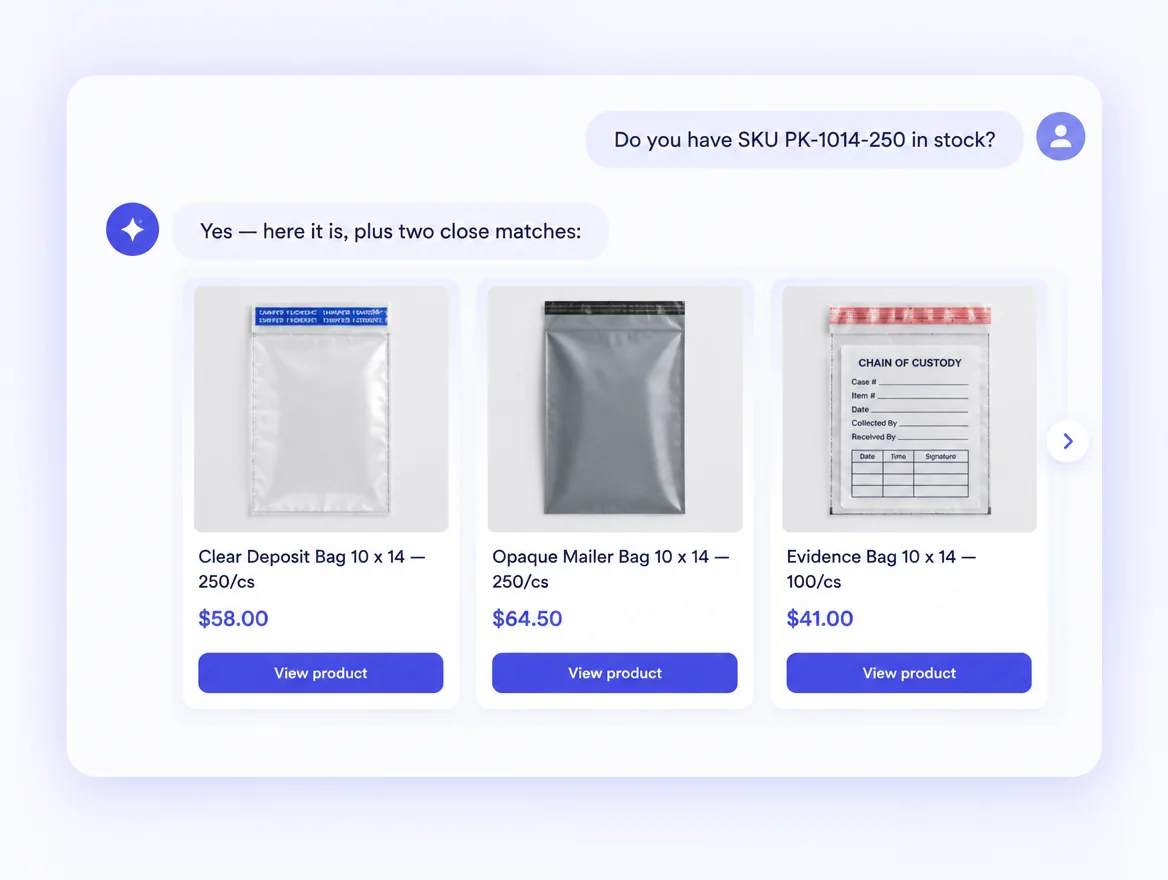
Buyers ask. The chatbot shows the exact product.
Your whole catalog (names, SKUs, prices, stock, categories and images) syncs from nopCommerce automatically. Shoppers describe what they need or paste a part number, and the chatbot answers with product cards that link straight to your product pages.
- Understands part numbers typed any way: "PK-1014-250", "pk1014250", "PK 1014 250"
- Only recommends products that are published and in stock
- Cards show your live price, or hide prices for quote-only B2B catalogs
- Product changes reach the chatbot within about two minutes
Order tracking
"Where's my order?" Answered in seconds.
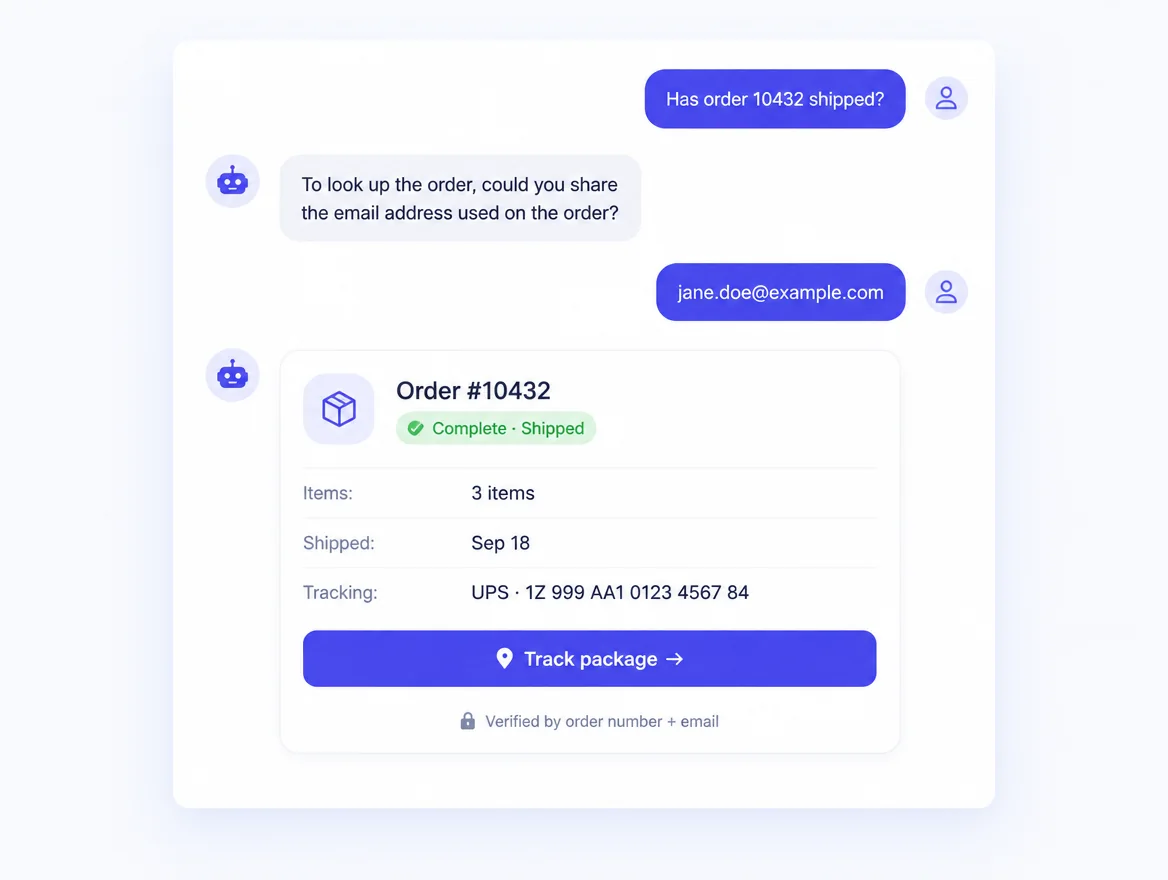
Customers give their order number and the e-mail on the order. The plugin checks both on your store, not on ours, and the chatbot shows a live order card. Guests can use it too; no login needed.
- Order status and shipping status: Pending, Processing, Shipped, Delivered
- Placed and shipped dates, item count, carrier and tracking number
- One-click Track package for FedEx, UPS, USPS and DHL
- Never shows addresses, prices, line items or payment details
Safe by design
Built so your store keeps selling.
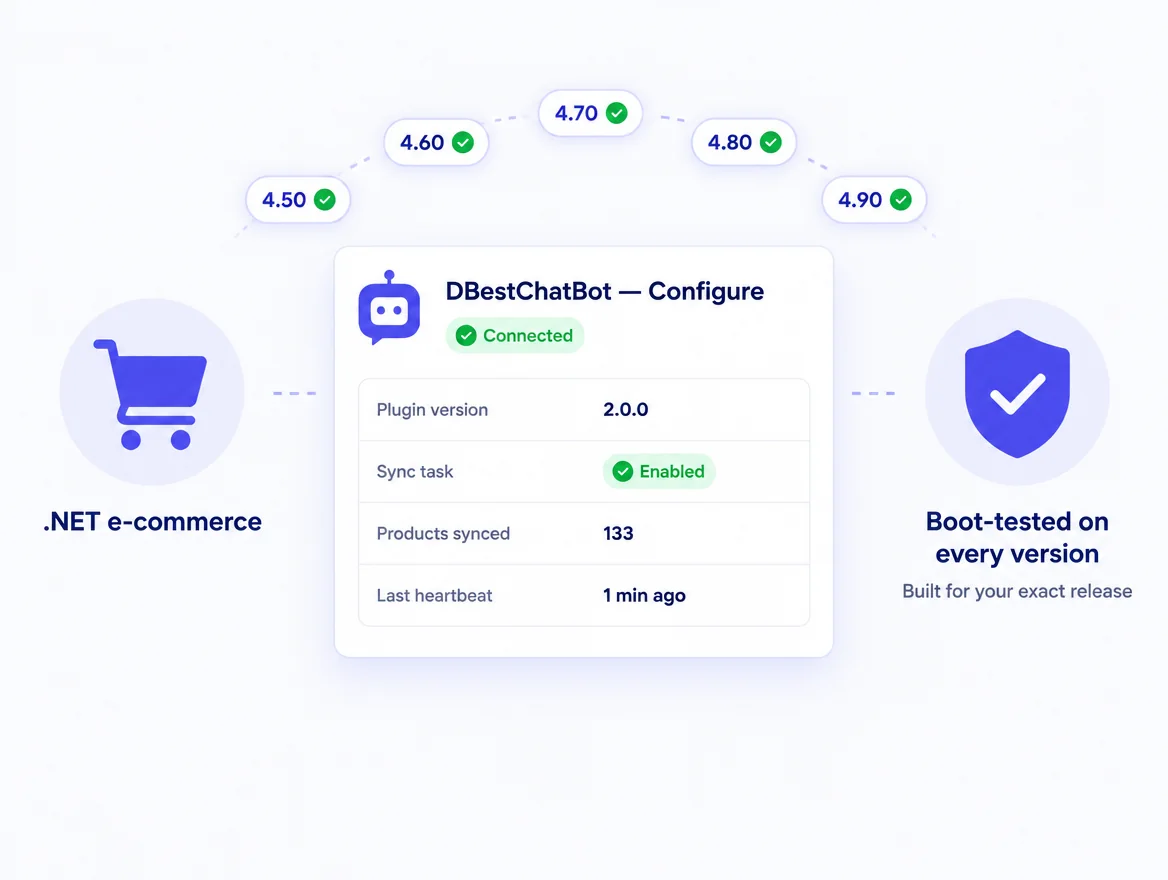
A plugin compiled for the wrong nopCommerce release can stop a whole store from starting. So every release gets its own build, compiled against that exact version and started up inside a real nopCommerce instance before it ships.
Background sync only
Network work runs in a schedule task, never in page loads or admin saves.
Fails silently
15-second timeouts; if our service is down, your store is unaffected.
No new tables
Uses nopCommerce settings, locales and schedule tasks only.
One-step rollback
Uninstall, or delete the plugin folder and restart. Nothing left behind.
Everything a nopCommerce store needs from a chatbot
The same platform Shopify and WordPress stores use, connected natively to nopCommerce.
Catalog-aware answers
Understands plain-English questions and part numbers, and recommends real products from your live catalog.
Clickable product cards
Photo, price and a link to the product page, in the widget, on your other sites and in your conversation history.
Order status & tracking
Order number + e-mail verification, then a live card with status, shipping status, dates and a Track package button.
Lead capture
Collects name, phone, e-mail and company for quotes, samples and B2B enquiries, and sends them to your team instantly.
Human handover
Your team can take over any conversation live from the dashboard or Telegram, then hand it back to the AI.
Instant notifications
E-mail alerts for new leads and conversations, with the full transcript and any product or order cards shown.
One brain, every site
The same chatbot and catalog can serve your nopCommerce shop and a separate marketing site (e.g. WordPress).
Privacy built in
GDPR cookie-consent gate, signed requests between store and service, and a strict whitelist for order data.
Hosted AI vs. self-hosted chatbot plugins
| DBestChatBot | Typical self-hosted plugin | |
|---|---|---|
| AI provider account & API keys | Not needed | You create and pay for your own |
| AI work on your store server | None | Indexing and prompts run in your app |
| Guest order tracking | Order # + e-mail | Often logged-in customers only |
| Human takeover of live chats | Included | Rarely |
| Lead capture & instant alerts | Included | Varies |
| New AI features | Delivered instantly, no plugin update | Wait for a release, re-install |
| Same bot on your other websites | Yes | Store only |
Install in five minutes
Check your version under Admin → System → System information, then download the matching package.
Plugin for nopCommerce 4.90
nopCommerce 4.90.x · .NET 9 · v2.0.0
Plugin for nopCommerce 4.50
nopCommerce 4.50.x · .NET 6 · v2.0.0
On 4.60, 4.70 or 4.80? Email support@dbestchatbot.com with your version and we'll send the matching build the same day.
Step 1
Create your chatbot
Sign up free at dbestchatbot.com and set up your chatbot.
Step 2
Upload
Configuration → Local plugins → Upload plugin or theme → choose the zip.
Step 3
Install
Click Install on "DBestChatBot", then Restart application.
Step 4
Pair
In DBestChatBot: Skills → nopCommerce → Generate pair code.
Step 5
Connect
Third-party plugins → DBestChatBot → paste the code → Connect.
Your catalog starts syncing the moment you connect. Want us to do it? Our White Glove install covers it.
For nopCommerce developers
What the plugin does inside your app
nopCommerce chatbot FAQ
Which nopCommerce versions are supported?+
nopCommerce 4.50, 4.60, 4.70, 4.80 and 4.90. Each version gets its own build compiled against that exact release and .NET version (.NET 6 for 4.50 up to .NET 9 for 4.80/4.90). The 4.50 and 4.90 packages download from this page; for 4.60, 4.70 or 4.80 email support@dbestchatbot.com and we send the matching build the same day.
Do I need an OpenAI or OpenRouter API key?+
No. The AI runs on DBestChatBot, so there are no API keys to manage, no token bills and no AI processing on your store server. You pick the model and write the instructions in your DBestChatBot dashboard.
Can the chatbot look up orders?+
Yes. A customer gives the order number and the e-mail on the order; the plugin verifies both on your store and the chatbot shows a live order card with order status, shipping status, dates, tracking number and a Track package button. It never shows addresses, prices, line items or payment details, and it cannot change or cancel orders.
Will installing it slow down or break my store?+
The widget is one deferred script tag at the end of the page. Catalog syncing runs in a nopCommerce schedule task, never inside a page request or an admin save, and every call to our service has a 15-second timeout and fails silently. The plugin creates no database tables, so uninstalling it or deleting its folder removes it completely.
How does the chatbot know my products?+
After you connect with a one-time pair code, the plugin pushes your catalog (names, SKUs, prices, stock, categories, images and product URLs) and keeps it in sync every two minutes. The chatbot recommends real products by name and shows clickable product cards that link straight to your product pages.
Does it work with multi-store and my theme?+
Yes. Settings follow nopCommerce multi-store scoping (each store can connect its own chatbot), and the widget is injected through a standard widget zone, so it works with any theme.
What does it cost?+
The plugin is free. DBestChatBot plans start with a 20-chat free trial, then Pro at $29/month or Agency at $99/month. The nopCommerce catalog and order-lookup features are included, with no separate add-on fee.
Give your nopCommerce store a 24/7 salesperson.
Free plugin, 20-chat free trial, set up in minutes.